

The Shopware adapter is built and maintained by the community, not by bunny.net.
Create a Storage Zone and Pull Zone
The adapter uploads your media to a Bunny Storage Zone, which is then delivered through a Pull Zone that uses the Storage Zone as its origin. Set up both before configuring Shopware. For details, see How to create your first Pull Zone.
Install the Shopware adapter
Download the latest 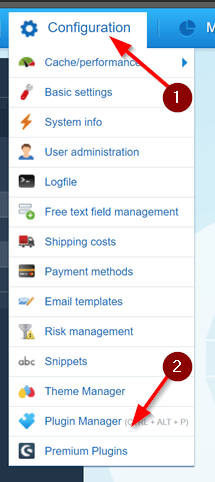
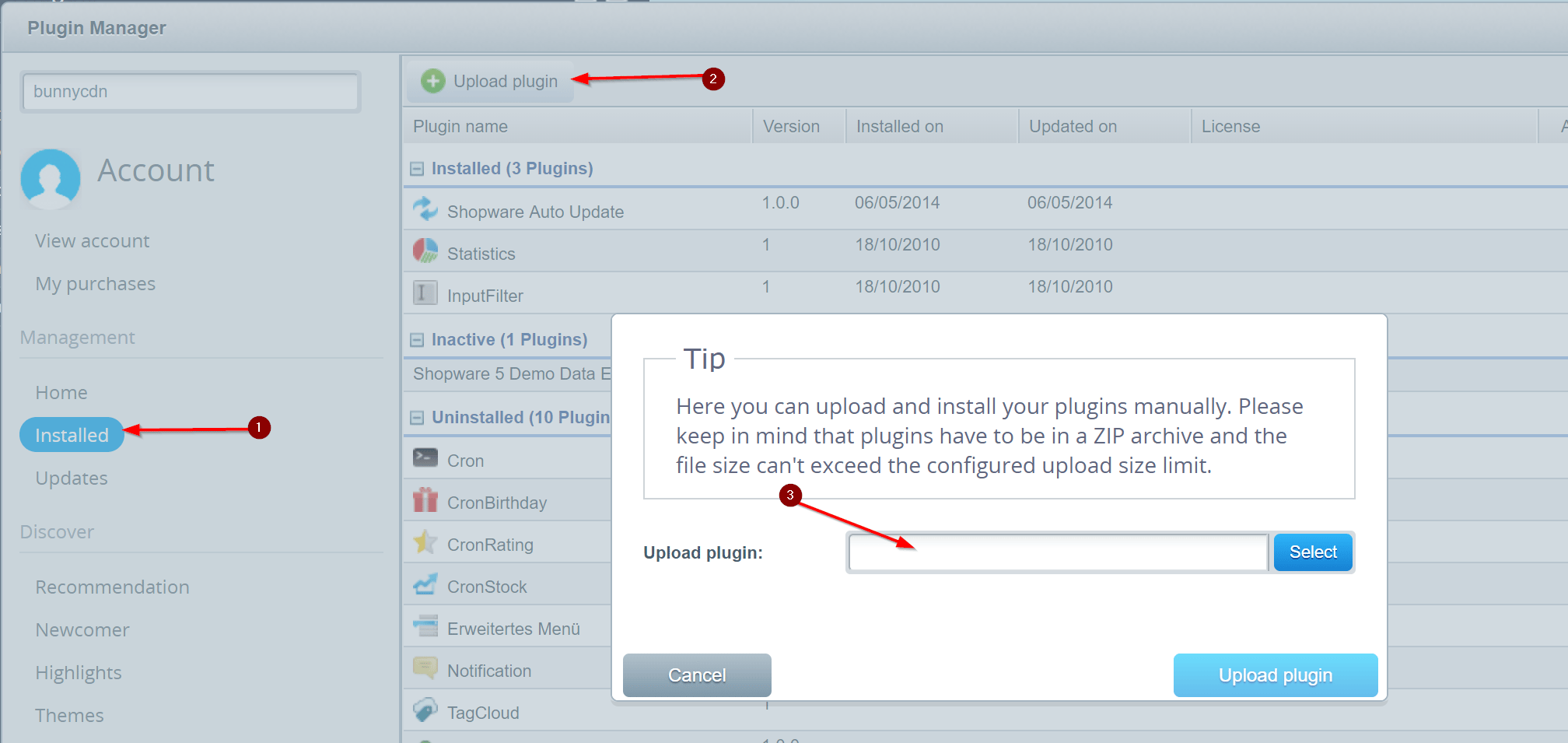

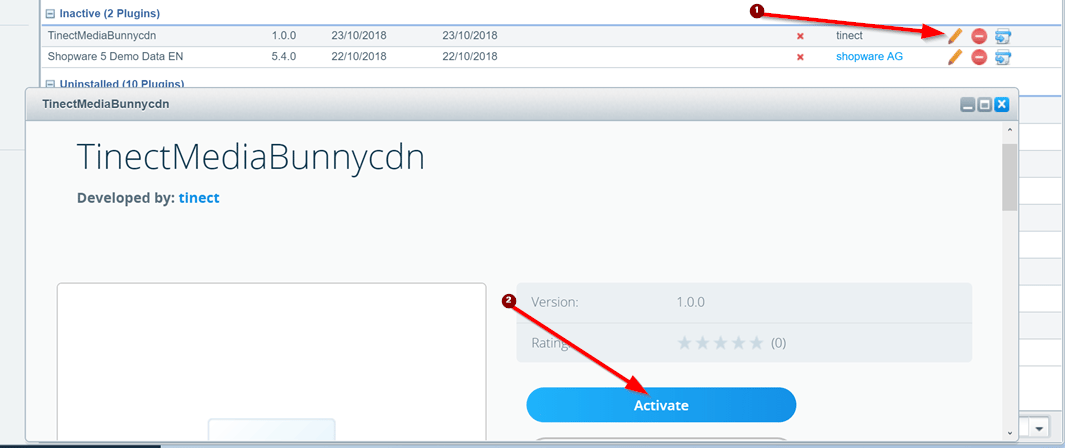
TinectMediaBunnycdn.zip from the adapter’s GitHub releases page.In Shopware, open Configuration → Plugin Manager.Configure Shopware to use Bunny CDN
You’ll need SSH or FTP access to edit a PHP file. In your Shopware install directory, open Replace
config.php and append the following to the configuration array:PULLZONE with your Pull Zone hostname, STORAGEZONENAME with your Storage Zone name, and apiKey with the password from your Storage Zone’s FTP & API Access page.Finally, upload your existing local media to the Storage Zone: