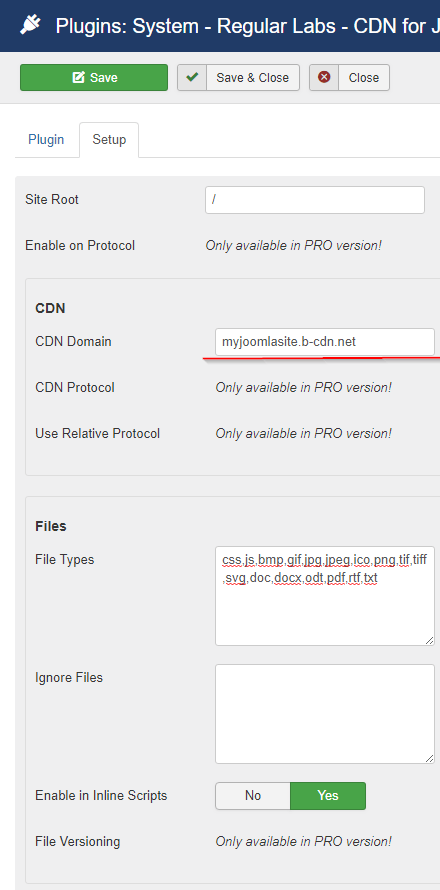
The free version of the CDN for Joomla plugin only supports HTTP URLs. To use HTTPS URLs, you’ll need the paid version.
Install the CDN for Joomla plugin
Download the plugin from the Regular Labs site. In your Joomla admin, go to Extensions → Manage → Install, then upload the ZIP file you downloaded.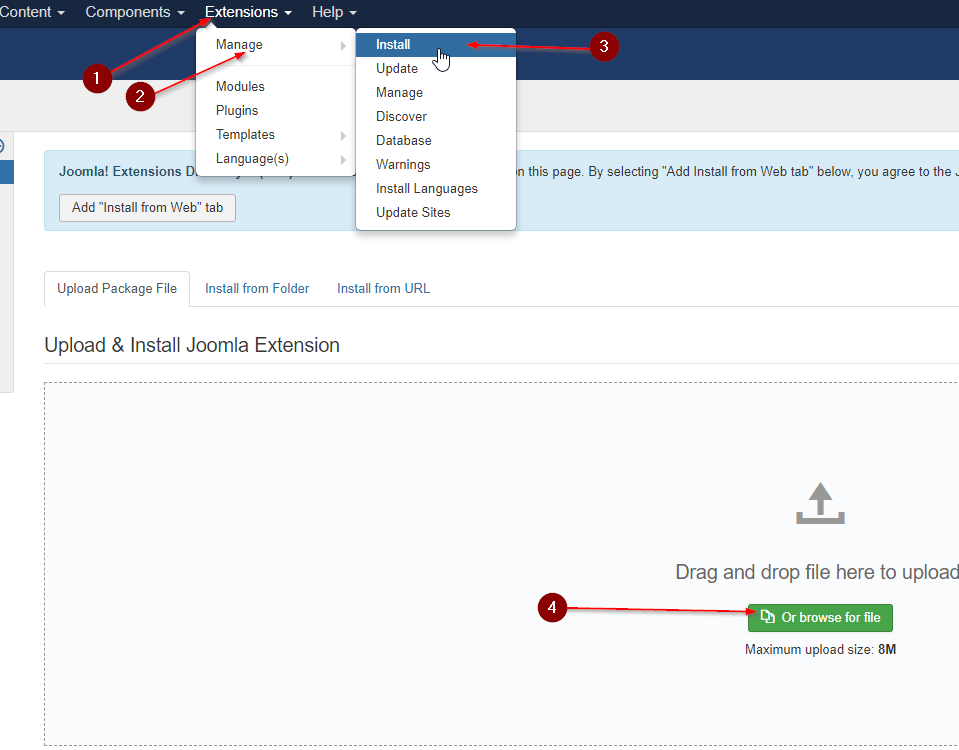
Open the plugin configuration
Go to Extensions → Manage → Manage, use the search to find the CDN plugin, then click it to open its configuration page and switch to the Setup tab.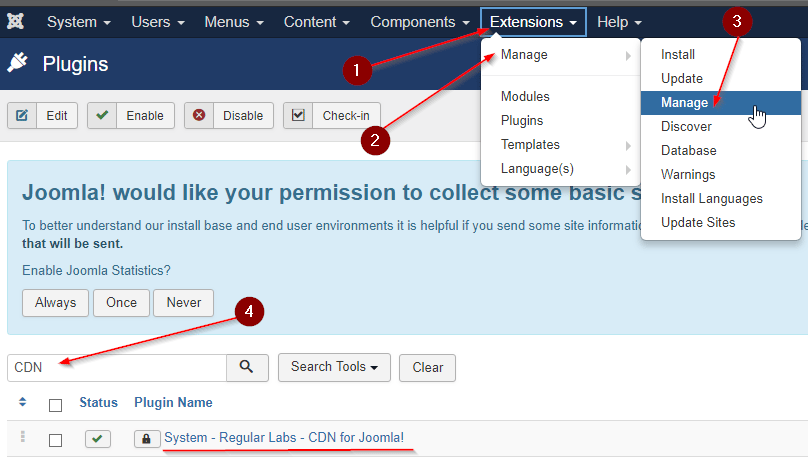
Create a Pull Zone
In your bunny.net dashboard, create a new Pull Zone with a name, set the origin URL to your website, choose your tier, and click Add Pull Zone. For details, see How to create your first Pull Zone.