> ## Documentation Index
> Fetch the complete documentation index at: https://bunnynet-cb9733c2-support-migration.mintlify.site/llms.txt
> Use this file to discover all available pages before exploring further.
# Image Watermarking
> Automatically protect and brand your images with custom watermarks
Bunny Optimizer can automatically apply watermarks to your images to protect intellectual property, reinforce branding, or mark user-generated content.
Watermarks are applied during the optimization process and cached. There's no
performance penalty after the first request.
## Configuration
Access watermarking settings in **Optimizer** → **Settings** → **Watermark images**
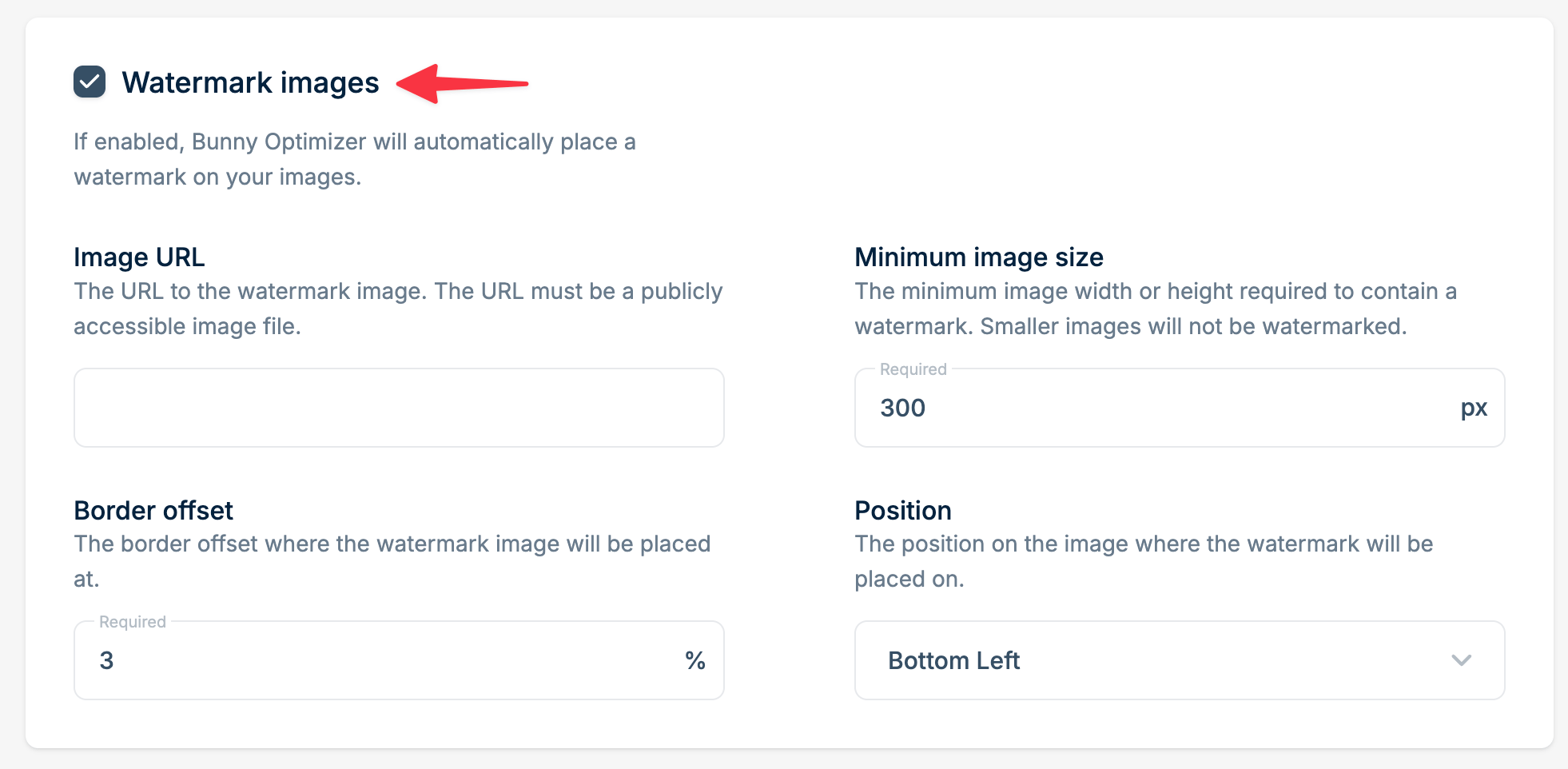 ### Watermark image URL
The publicly accessible URL to your watermark PNG (transparency supported).
**Best practices:**
* Use PNG format with transparency
* Design at 2x resolution for sharp display
* Keep file size under 100KB
* Test on both light and dark images
### Minimum image size
Only images with width OR height greater than this value will be watermarked (in pixels).
**Example:** Setting this to 800px prevents watermarks on small thumbnails while protecting larger downloads.
### Position
Choose from a few different placement options:
* Bottom Right
* Bottom Left
* Top Right
* Top Left
* Center
* Center Stretched
### Border offset
Distance from the edge as a percentage (0-100%).
**Example:** 5% offset on a bottom-right watermark places it 5% away from both the bottom and right edges.
## Combining with Dynamic Images API
Watermarking applies after Dynamic Images transformations, ensuring your watermark appears on all generated variants.
### Watermark image URL
The publicly accessible URL to your watermark PNG (transparency supported).
**Best practices:**
* Use PNG format with transparency
* Design at 2x resolution for sharp display
* Keep file size under 100KB
* Test on both light and dark images
### Minimum image size
Only images with width OR height greater than this value will be watermarked (in pixels).
**Example:** Setting this to 800px prevents watermarks on small thumbnails while protecting larger downloads.
### Position
Choose from a few different placement options:
* Bottom Right
* Bottom Left
* Top Right
* Top Left
* Center
* Center Stretched
### Border offset
Distance from the edge as a percentage (0-100%).
**Example:** 5% offset on a bottom-right watermark places it 5% away from both the bottom and right edges.
## Combining with Dynamic Images API
Watermarking applies after Dynamic Images transformations, ensuring your watermark appears on all generated variants.