> ## Documentation Index
> Fetch the complete documentation index at: https://bunnynet-cb9733c2-support-migration.mintlify.site/llms.txt
> Use this file to discover all available pages before exploring further.
# Configuration
> Configure your container's environment variables, health checks, endpoints, and runtime settings.
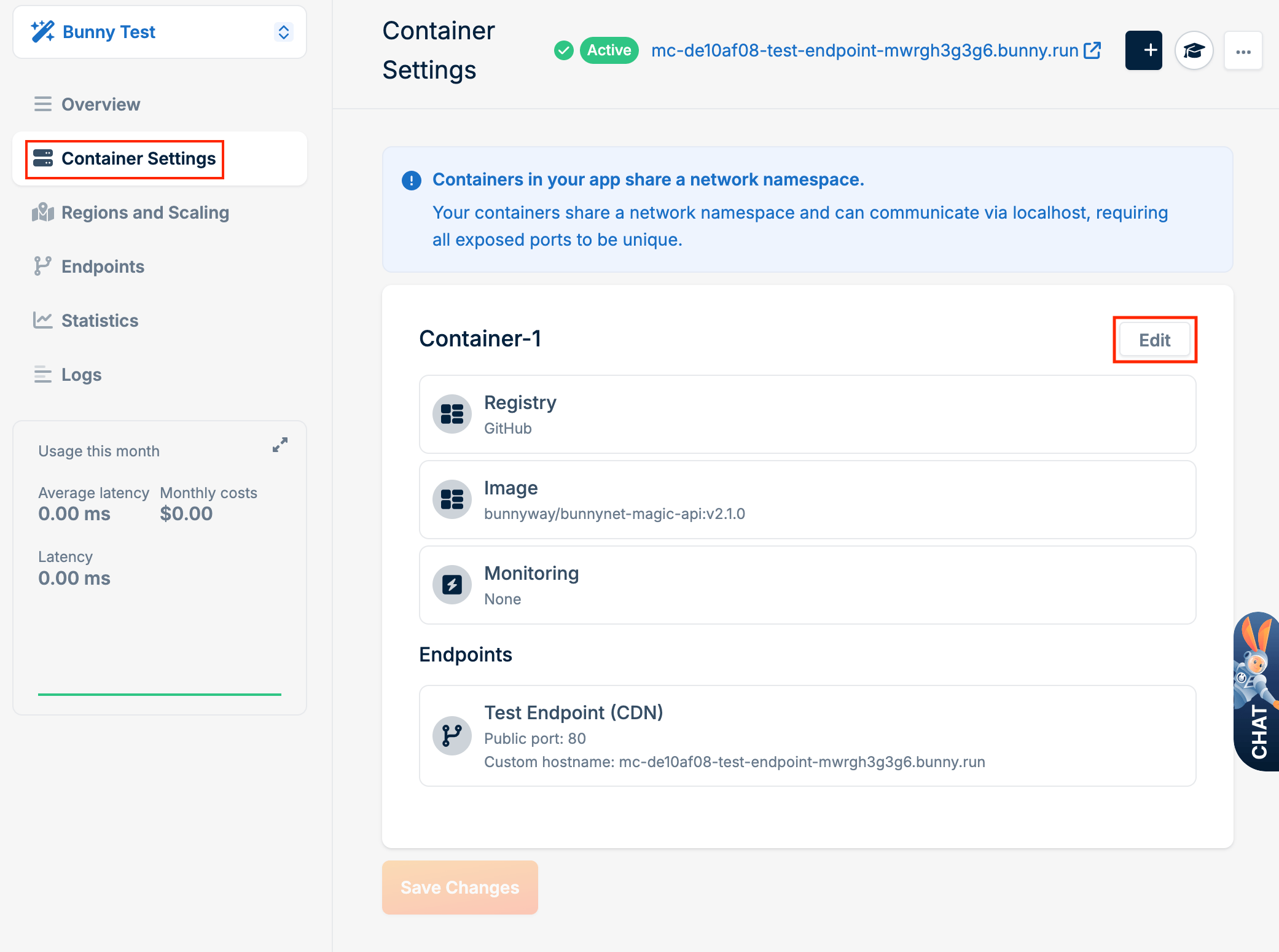
Once you have a [deployed container](/magic-containers/quickstart), you can modify its configuration by going to **Magic Containers**, selecting your container, then clicking **Container Settings**.
## General settings
Click **Edit** to modify environment variables, health checks, endpoints, and resource allocation.
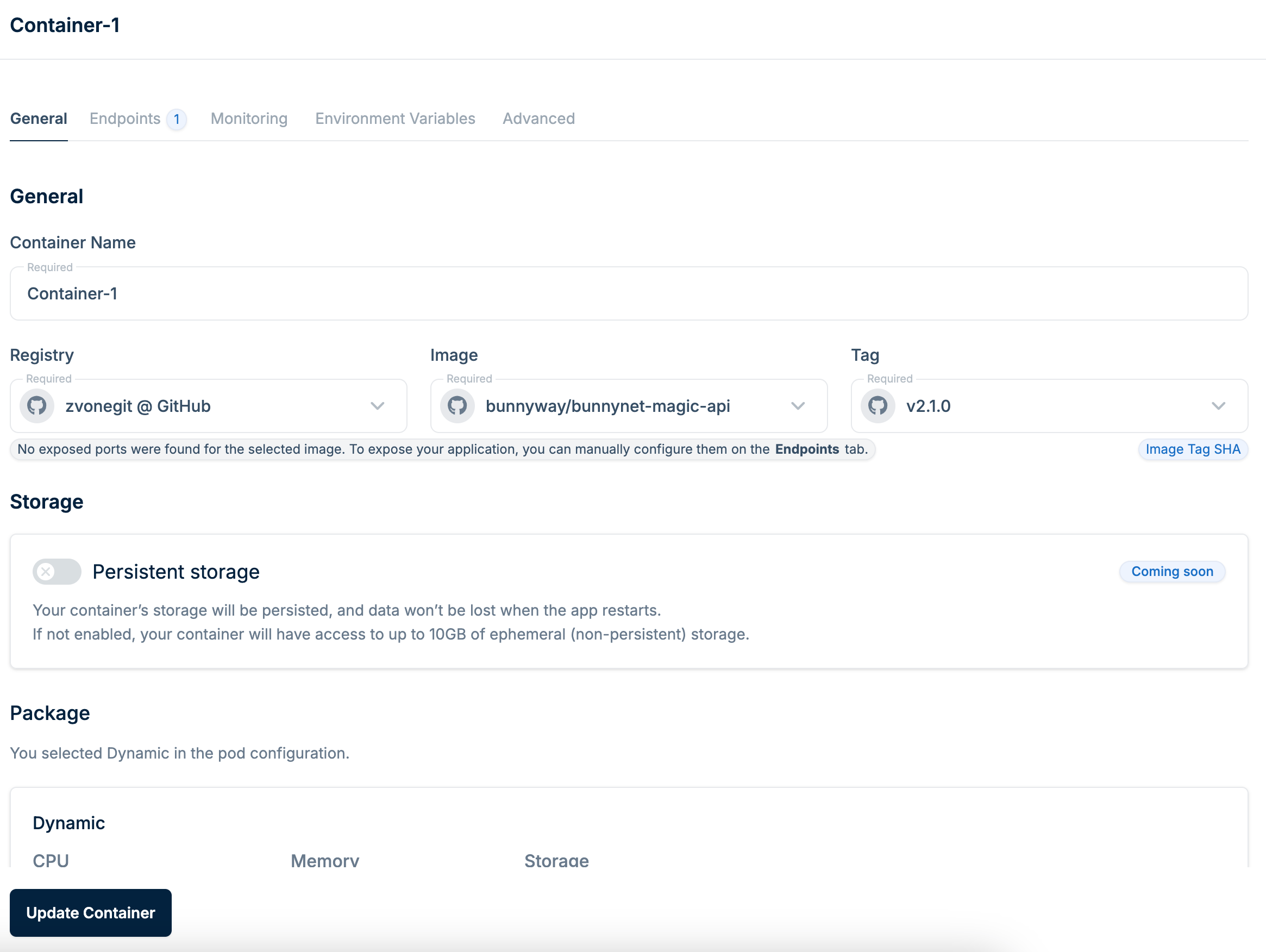 After making changes, click **Update Container** to apply the new configuration.
## Advanced settings
Click the **Advanced** tab to configure runtime behavior.
After making changes, click **Update Container** to apply the new configuration.
## Advanced settings
Click the **Advanced** tab to configure runtime behavior.
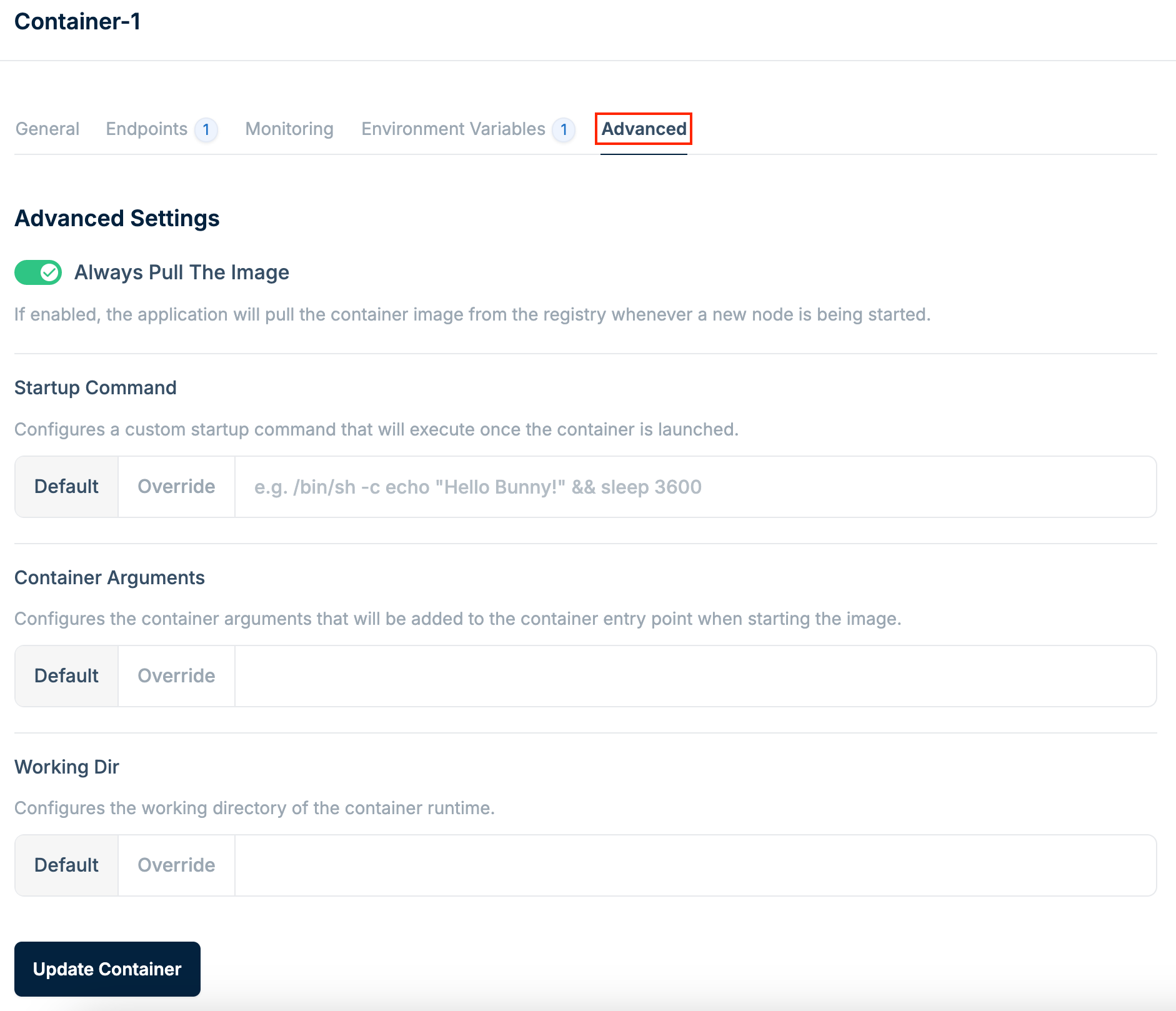 The following settings are available:
* **Startup command**: A custom command that executes when the container is launched, giving you control over the initial behavior.
* **Container Arguments**: Arguments added to the container's entry point when starting the image. Useful for passing runtime parameters.
* **Working Dir**: The working directory for the container runtime. Configure this for applications that rely on specific file paths.
The following settings are available:
* **Startup command**: A custom command that executes when the container is launched, giving you control over the initial behavior.
* **Container Arguments**: Arguments added to the container's entry point when starting the image. Useful for passing runtime parameters.
* **Working Dir**: The working directory for the container runtime. Configure this for applications that rely on specific file paths.